 domaiya
SHARED SHOPPING LIST
One list.
Whoever does the shop.
A list on the kitchen counter cannot help the person in the supermarket. Domaiya gives your household a shared place for the things you need, from tonight’s ingredients to the next bottle of detergent.
02
Type it, say it or bring it from the meal plan
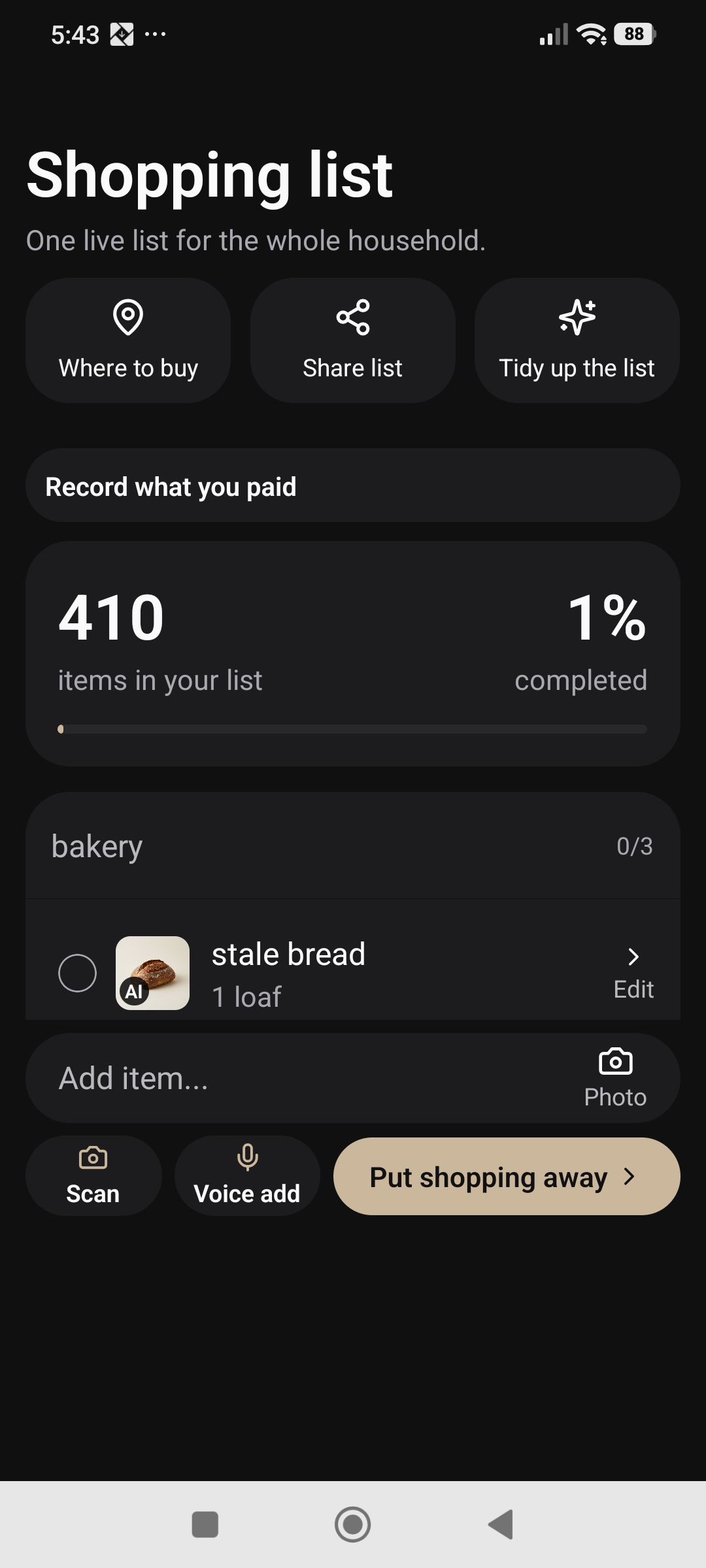
Add everyday requests directly, or use voice entry when your hands are busy. Review a proposed voice change before confirming it. The meal planner can also prepare ingredients for the list after checking the plan against recorded pantry items.
That ingredient review is where you check missing items, quantities and package sizes. It keeps a suggested recipe list from becoming an unquestioned shopping instruction. You can also use the list-tidying review to inspect proposed changes before applying them.
03
Keep “bought it” and “paid for it” useful
Check off items as you buy them. Use the purchase entry to record what you actually paid, so the shopping trip can feed into your household spending records. A checked item and a recorded expense serve different purposes: one helps the shop, the other helps your budget.
Review the amount and purchase information before saving. This is a record of your purchase, not a checkout or a payment service. You remain responsible for keeping the saved spending accurate.
04
Finish the trip by putting the groceries away
After shopping, review checked items that have not yet been put away. Choose their storage locations and check the quantities before confirming the inventory update. Your pantry, fridge and freezer can then start the next plan with the groceries you brought home.
This review is particularly useful when the item you bought differs from the request: two smaller packs instead of one large pack, or a substitute brand. Match the saved record to the actual purchase.
A SMALL ROUTINE. A USEFUL DIFFERENCE.
How to get started
Add household requests
Keep names and quantities clear.
Review meal ingredients
Confirm the missing items you want to buy.
Shop from the shared list
Check off purchases and record what you paid.
Review what goes into storage
Confirm pantry, fridge or freezer destinations.
IN EVERYDAY LIFE
Picture this.
One person starts the list at home. Another adds the forgotten breakfast items. Whoever reaches the supermarket first has the same household list to work from, then records the purchase and puts the groceries into the right inventory.
WATCH THE REAL APP
Review your shop and put groceries away
22 seconds · HD · Willa narration and English captions. A real phone demonstration of setup and review, with no household changes saved.
Synthetic voice. Edited for length.
THE USEFUL DETAILS
Your questions, answered.
Is this a grocery delivery service?
No. Domaiya organises your list and purchase records; it does not order or deliver groceries.
Can I add things that are not part of a meal?
Yes. Add household requests directly to the list.
Do checked items automatically become pantry stock?
You review the put-away details and confirm the inventory change, including quantities and locations.
MAKE IT PART OF YOUR DAY
Turn “we need it” into an item you can find.
Add the request
Enter an item and check its quantity and unit. Use a clear name that the person shopping will recognise.
Save and reopen
Return to the shopping list and open the saved item to check its details.
Keep the list useful
Edit a changed request or remove an item you no longer need. Agree the household’s needs before the next trip.
Take a copy when useful
The available PDF or sharing option opens the phone’s share sheet. Check the exported list and choose its destination yourself.