 domaiya
HOUSE NOTES & DOCUMENTS
Your home’s memory.
No longer one person’s job.
Someone remembers bin day, knows how the boiler resets and can find the warranty. Domaiya gives those details a place to live, so the household has somewhere to look before asking the same person again.
01
Write the instructions once
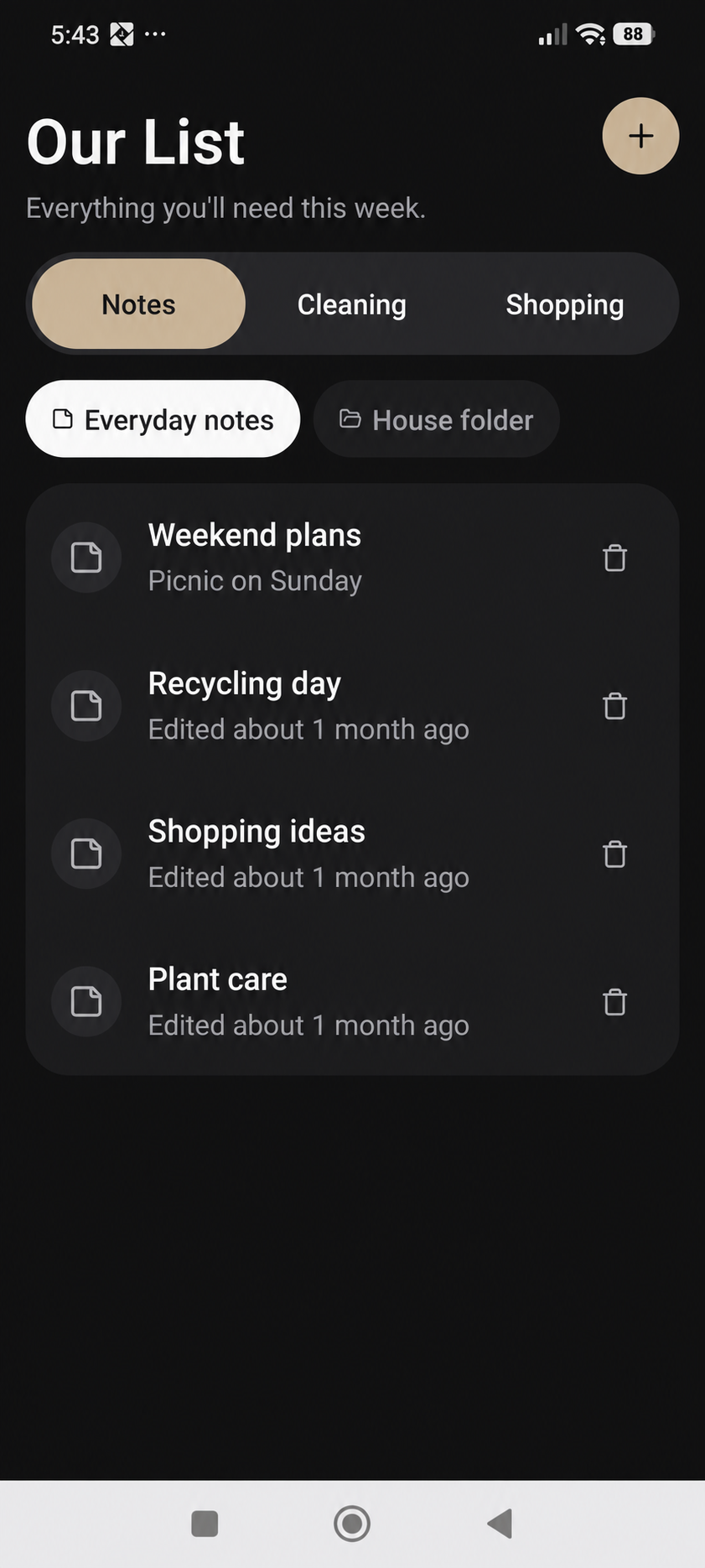
Use everyday notes for the details that make a home work: bin collection instructions, the Wi-Fi details, the pet’s routine or what to try before calling someone about the boiler. Give each note a clear title and put the useful information in its body.
Write for the next person who needs it. “Boiler reset” is easier to find than “Important.” Keep instructions short enough to follow and update the note when something changes, instead of leaving several conflicting versions in a chat.
02
Keep the useful attachment with the note
Add a PDF or photo when the original document or picture explains something better. You can also capture a voice note when speaking is easier than typing. Review the attachment and finish saving so the note and its supporting information stay together.
A photo of the right control, the relevant page of a manual or a spoken explanation can make an everyday instruction easier to use. Choose only information that belongs in your household’s records.
03
Give the paperwork a proper home
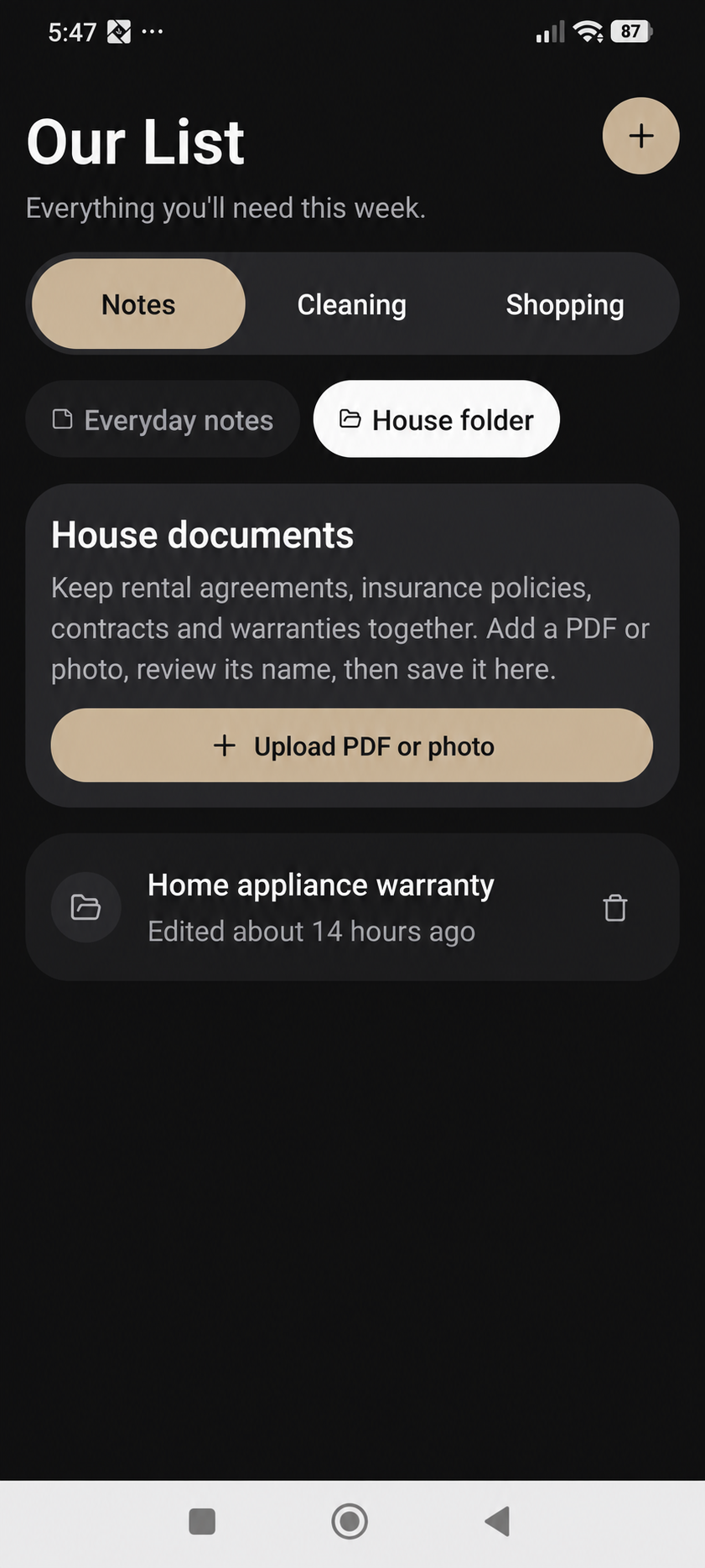
Use the House folder for rental agreements, insurance policies, contracts and warranties. Upload a PDF or photo, review its name and save it with useful document details, such as a category. This gives you a consistent place to look when the paper copy is elsewhere.
House documents are available to adult household members with the relevant access. They are not simply open to every member, including children. Check household roles before deciding which information to store there.
04
Organise information around the home
Use rooms to give household information more context. The things someone needs in the kitchen are different from the things they need for the bathroom or utility area. A clear room name and a useful note title make the collection easier to maintain.
Start with the five questions your household asks most often. Add the answer, keep the relevant attachment nearby and make reviewing the notes part of your routine when something changes.
A SMALL ROUTINE. A USEFUL DIFFERENCE.
How to get started
Choose the right place
Use everyday notes for instructions and House folder for documents.
Name it clearly
Give the note or document a title someone else will recognise.
Add the information
Write the details or attach a PDF, photo or voice note where available.
Save and maintain it
Check the saved record and update it when arrangements change.
IN EVERYDAY LIFE
Picture this.
Before leaving for a trip, add the bin-day instructions and the pet’s routine to household notes. Keep the appliance warranty in the adult-access House folder. The person at home has a place to look without reconstructing an old message thread.
WATCH THE REAL APP
Draft a note and explore the House folder
22 seconds · Light mode · HD · Willa narration and English captions. A real phone demonstration of setup and review, with no household changes saved.
Synthetic voice. Edited for length.
THE USEFUL DETAILS
Your questions, answered.
Can children open all house documents?
No. House document access is restricted to adult household members with the relevant access.
Can I keep PDFs and photos?
Yes. House documents support PDF and photo uploads, and notes can hold supported attachments.
Is the information in the screenshots real?
The notes and document screens on this page show anonymised example information.
MAKE IT PART OF YOUR DAY
Keep the detail you would otherwise ask for again.
Write a useful title
Name the note so its purpose is clear, then add the household instructions or reminder you want to find again.
Save and reopen
Open the saved note and check its title and text. Update the information when the household routine changes.
Choose what belongs there
Keep ordinary household instructions easy to find. Review access and privacy before adding personal or sensitive information.
Keep documents with their purpose
Use the appropriate document or House folder controls for supported paperwork. A stored document is a reference, not legal or insurance advice.