 domaiya
HOME ORGANISER
A home has a lot
to remember.
Domaiya is a home management app for the details behind everyday life. Bring the food, money, jobs and information your household keeps juggling into one shared organiser, and start with the part you need most.
01
Start with what needs you today
The home view brings today’s household information together, including planned meals and who is cooking, tasks and useful household updates. It is a starting point for checking the day, with the fuller details available in each feature.
Household members use the same household space, with access depending on their roles and the type of information. The organiser can support a family, couple or shared home without assuming every person should see every private record.
02
Connect meals, ingredients and the weekly shop
Plan meals yourself or review suggestions from Plan for Me. Keep recipes, choose cooks and use recorded pantry, fridge and freezer information when deciding what is missing. Confirm the ingredients you want on the shared shopping list.
After the shop, record the purchase and review items to put away into kitchen inventory. Each part has a practical job: the planner holds the decision, the inventory holds the food record and the list tells the shopper what is needed.
03
Give the rest of the house the same clarity
Keep appointments, tasks and cleaning in a household calendar. Assign rooms and jobs, choose routines and record completed work. Use household notes for instructions and the adult-access House folder for documents.
The money area helps you organise recorded expenses, receipts, bills and a household spending limit. These features work best as shared routines: agree what to record, who keeps it current and when the household checks it together.
04
Remember the things that keep running out
Use supplies for household essentials such as detergent. Record the stock you counted and an estimate of monthly use. Domaiya can use those records to estimate how long supplies may last and highlight items needing attention.
The estimate is different from a real count. Update the record when you restock or use supplies, and check the actual cupboard when the estimate is uncertain. This gives you a starting point for replenishment without pretending the app can measure a bottle.
05
Keep personal routines under your control
Medication records and reminders are private to you unless you choose to share them. Enter the medication details and schedule you already use; selected household members can see a shared record and receive its reminders, without getting permission to edit or delete it.
The app also includes household insights, a family timeline and points, streaks and badges. Use these to review participation and keep household moments together. Domaiya supports English, Spanish, French, German, Italian, Chinese and Arabic, with light and dark themes.
CURRENT APP JOURNEY · UPDATED 20 OCTOBER 2026
Bring your people into the same home.
Create an invitation
Open your household or Family area, choose the adult’s email and the appropriate role, then review before sending. A child profile is a separate option.
Accept with their own account
The invited adult opens the invitation, signs in, reviews the home and role, and accepts. Complete the profile information requested by the app.
Check the right home together
Confirm the home name and member list. A family member can open the household shopping list and add a request; their permitted access depends on the role.
Keep access deliberate
Review permissions instead of sharing one login. Family access does not automatically grant permission to change protected household settings.
The iPhone design shown here was captured on 20 October 2026 and remains a pre-release preview. App Store release is coming soon; controls and availability can vary by app version and plan.
THE PEOPLE MAKE THE HOME
Stay connected to everyday life.
Family chat
Keep household conversations in Domaiya. A quick message can help coordinate the day; keep lasting instructions in Notes and dates in the calendar so they remain easy to find.
Household insights
Review the activity your household records and who contributes to shared routines. Use those records to discuss responsibilities together; work that was never recorded cannot appear in the overview.
Timeline, points & badges
The family timeline gives household moments a place to stay. Points, streaks and badges bring encouragement to participation alongside the practical jobs and routines.
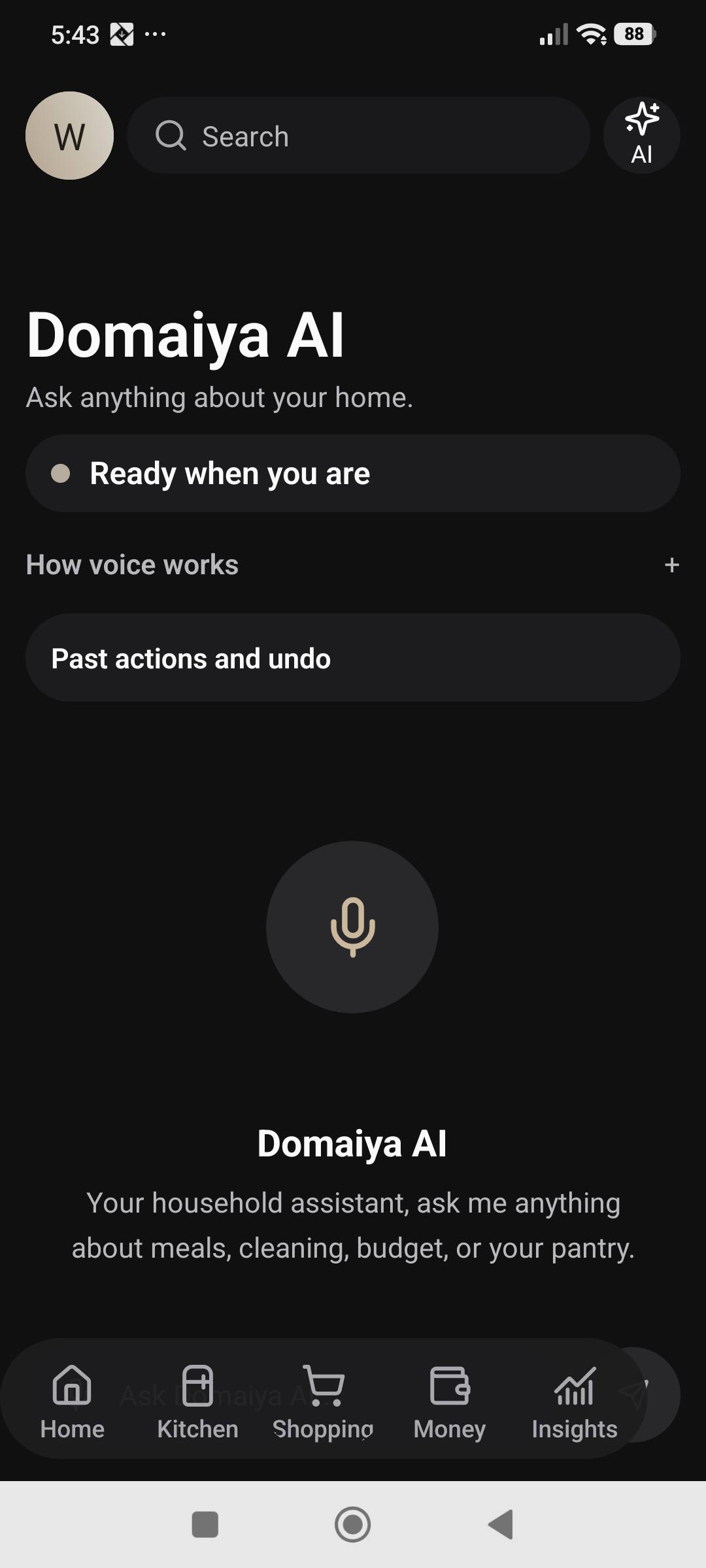
Domaiya AI
Open the AI assistant for help with household questions and ideas. For a meal plan, use Plan for Me in the planner, review the suggestions and apply the meals you want to keep.
A SMALL ROUTINE. A USEFUL DIFFERENCE.
How to get started
Choose one starting point
Try the shopping list, meal planner or household notes first.
Set up your household
Bring members into the same household space with appropriate roles.
Build a small routine
Record useful details and agree who keeps them current.
Add the next feature
Connect the calendar, money records or supplies when you need them.
IN EVERYDAY LIFE
Picture this.
A family starts with one shared shopping list. Next they plan a few dinners, save the bin-day instructions and set a kitchen cleaning routine. The organiser grows around the household’s actual needs.
WATCH THE STEPS
Bring your household together
Watch example details being typed, open the role choices and see how the child-profile option changes the form.
28 seconds · HD · Synthetic Willa narration. Actual dark-mode recording with fictional example details. No member was added and no invitation was sent.
Open the video guide and transcript ↗THE USEFUL DETAILS
Your questions, answered.
Is Domaiya only for families with children?
No. A person organising a home, a couple or flatmates can also use its household features.
Can I use it in Spanish?
Yes. Spanish is one of the seven supported app languages.
Is there a web login or an iPhone release?
The launch is Android first. Web access and an App Store download are not available yet; the website will link to them when they are ready.
MAKE IT PART OF YOUR DAY
Your day, in a look that feels like home.
A useful starting point
Open Home for the daily overview and shortcuts to Kitchen, Shopping, Money and Insights. Choose the household you want to organise before adding a record.
Keep the forecast close
With a supported home location set, open the weather panel for current conditions, an hourly forecast and a seven-day view. Check the forecast before deciding what the day needs.
Choose your appearance
In Appearance & region, select Soft Rose or Porcelain. Choose Dark, Light or Match phone; the Weather effects switch controls weather decoration separately.
Start with one useful question
Ask Domaiya AI for dinner ideas, then review the response. Decide what to record in your household rather than treating an idea as an agreed plan.